5 Major mistakes that get your resume rejected by applicant tracking system
In the world of online job applications, there’s a gatekeeper you may not even know about. It’s called an Applicant Tracking System, or ATS. When you apply for a job, your resume doesn’t go straight to a recruiter’s inbox. It first goes to an ATS, a software program that scans and sorts resumes.
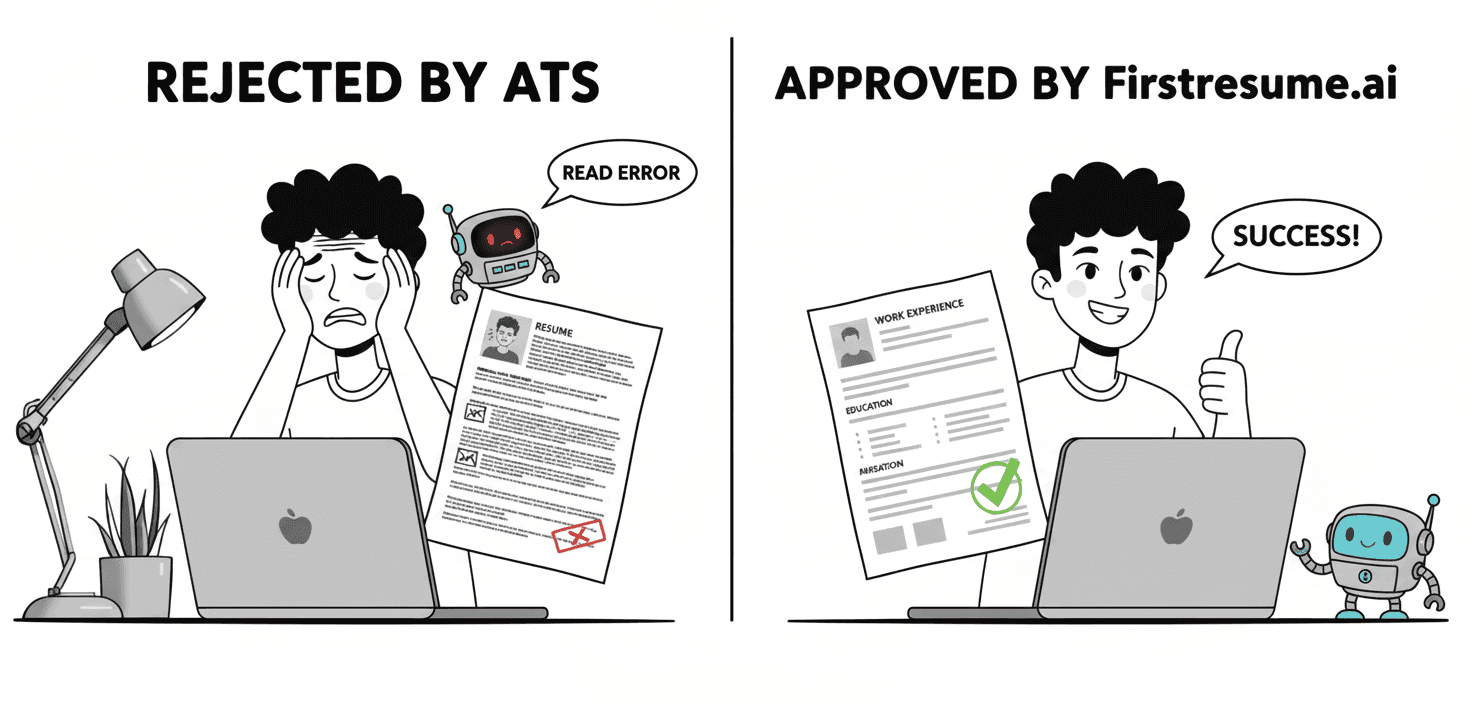
The ATS is designed to make a recruiter’s life easier by filtering out resumes that don't match the job description. But here’s the problem: if your resume isn’t formatted correctly, the ATS can’t even read it. It simply gets rejected, and a human never gets to see it. It doesn’t matter how good your experience is; if the ATS can’t understand it, your resume is dead in the water.
Understanding these critical mistakes is the first step to making sure your application gets seen. Here are some of the common mistakes that get your resume rejected by an ATS.
1. Using graphics, tables, and columns
It's tempting to make your resume visually appealing. People spend hours using tools like a Canva resume or other graphical resume maker platforms to create a beautiful document with icons for skills, tables to list experiences, and multi-column layouts to save space.
This is a huge mistake.
An ATS is not a human eye. It doesn't see a beautiful design. It sees raw text. When an ATS scans a document, it reads the content in a single, linear fashion, from left to right and top to bottom. It cannot decipher information that is locked inside images or organized in complex tables and columns. The software simply sees these elements as unreadable blocks of data.
For example, if you list your skills with a cool graphic icon next to each one, the ATS will likely not be able to read the text associated with it. If you use two columns to put your contact info and a summary on one side and your work experience on the other, the ATS will get confused. It might read the first half of the first line from column A, then jump to the first half of the first line of column B, and so on, creating a jumbled mess of text that is completely unreadable to the recruiter. It’s a very common mistake that can cost you a job opportunity.
2. Inconsistent or unclear date formats
The ATS is a data-driven system. Its primary job is to extract specific information from your resume, including your work history. To do this, it needs clear, consistent data points. Your employment dates are a critical part of that data.
Mistakes with dates can completely throw off an ATS. For example, using "Jan 21" for one job and "January 2021" for another will confuse the system. It may not be able to connect the two formats, leading to a break in your work history. Even worse is leaving out the months entirely, or using vague terms like "Summer 2023." The ATS needs a start date and an end date to properly calculate how long you’ve been at each job.
This lack of consistency can lead the ATS to miscalculate your total years of experience, or even worse, it might fail to properly categorize your experience in a way that makes you a suitable candidate. The ATS is looking to match your timeline with the employer's requirements, and if it can’t do that, your resume will not make it to the next step.
3. Using non-standard section headings
We are often told to be creative and stand out from the crowd. But when it comes to your resume format, being too creative is a major problem. An ATS is programmed to look for specific, standard headings to identify the different sections of your resume.
Using headings like “My Journey,” “What I’ve Done,” or “Where I've Been” instead of "Work Experience" or "Professional Experience" will make your resume invisible to the ATS. The software is specifically designed to scan for keywords like "Education," "Skills," and "Work History" to properly sort and categorize your information. If it can't find these headers, it will simply skip that entire section.
This means all the valuable information you've put under a clever heading your accomplishments, your job titles, your responsibilities will be missed. Your skills might not be added to the ATS database, and your work history might be completely ignored.
4. Using uncommon fonts or multiple fonts
Just like it struggles with graphics, an ATS also has a limited list of fonts it can recognize and parse correctly. While a fancy script font or a cool, minimalist font might look good on your screen, it can cause major problems for the ATS.
When the ATS encounters a font it doesn't recognize, it will often try to "read" it, resulting in scrambled text or, in some cases, it may not be able to read the text at all. This means your job title, company name, or even your key skills could be rendered unreadable. Using multiple fonts on the same resume can also create confusion and lead to parsing errors. The system needs consistency to extract information smoothly.
For these reasons, many of the visually stunning free resume templates or resume builder tools can actually be a disservice to your job search.
5. Saving your resume in the wrong file format
This is one of the most common and easily avoidable mistakes. An ATS needs to extract text from a document. If you save your resume in a file format that isn't primarily text-based, the ATS can’t read it.
Saving your resume as a .jpg or .png, which are image files, is a major problem. The ATS sees this as a picture, not as a document with text. It’s like trying to get a barcode scanner to read a photo of a barcode; it won’t work. Similarly, if you're using an AI CV Maker or a different online tool, you must be careful to download it in the correct format.
While some systems can handle Microsoft Word files (.doc or .docx), the gold standard is a PDF. A PDF preserves the formatting and is almost universally readable by every ATS. Saving your resume in the wrong format is a quick way to ensure it never sees the light of day.
Don't let these simple mistakes cost you a job
The modern job search is a numbers game, but it's one you can win. Understanding these five basic ATS rules is the first step to making sure your resume gets a fair shot.
But who has the time to remember every rule and double-check every detail?
That's why tools are built to solve these problems. A good ATS Resume Builder ai takes all the guesswork out of the process, ensuring your resume is perfectly formatted and optimized to pass every ATS test.
Instead of worrying about fonts, dates, and file formats, you can focus on what really matters: showcasing your skills and experience.
Don't let a robot reject you. Use a tool that helps you win. Check out Firstresume.ai and build your perfect, ATS-friendly resume today.